2026 Government Policy Update

Your Passport Photo Will Get Rejected.

Unless you check it first.

Since January 2026, the US State Department rejects every passport photo altered by AI — including beauty filters, background removal, and automatic lighting corrections. PhotoValid validates your photo against all government requirements without touching a single pixel. Most rejections are preventable. We prevent them.

Free download · No subscription · No paywall

🇺🇸 US Passport ALL CHECKS PASSED
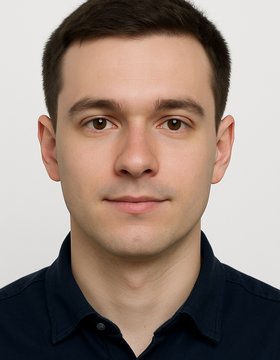
Passport photo example
Face Guide
Background
Head Size 62%
Expression
No Glasses
Shadows
Lighting
Download Photo
0
Countries Supported
0
Document Types
100%
Pixels Unmodified
$0
To Use

Most Rejections Are Preventable

Not for how you look. For technical compliance. Head size, lighting, shadows, background — measurable requirements you can validate in 30 seconds before submitting.

AI alterations detected (auto-rejected since 2026) New policy
Wrong head size ratio Common
Shadow on face or background Common
Incorrect background color Common
Wrong dimensions or resolution Common

Based on common rejection reasons listed in official government photo guidelines

What PhotoValid Checks For You
Every government-published requirement, verified instantly
Background
Checked
Head Size
Checked
Expression
Checked
Shadows
Checked
Lighting
Checked
Dimensions
Checked

Every Other App Alters Your Photo.
We Check It. We Never Change It.

Other Apps
  • Alter your photo (banned since 2026)
  • Replace background digitally
  • Beautify with AI filters
  • Charge $5-10/week subscription
  • Get flagged at passport office
  • Restart application. $15-50 cost.
Result: Rejected. Restart. $20+ cost.
PhotoValid
  • Validates without modifying
  • All technical checks in one scan
  • Guided feedback (retake, adjust angle)
  • Free download, one brief ad
  • Built for 2026 compliance rules
  • Submit with confidence. First try.
Result: Approved. First submission. Zero cost.

What Are You Applying For?

PhotoValid knows the exact requirements. Tap your situation.

🛂

New Passport

Millions apply every year. Get it right the first time.

✈️

Visa Application

Each embassy has different rules. We know them all.

🗽

Green Card / Immigration

Don't let a photo delay your immigration case.

👶

Baby Passport Photo

The hardest photo to get right. We make it easy.

🔄

Passport Renewal

Rules changed in 2026. Your old approach won't work.

🌍

International ID

150+ countries. UK, Canada, EU, India, Japan — all covered.

Every Country. Every Document. One App.

Specs sourced from official government publications — built for 2026 compliance.

🇺🇸 United States
🇬🇧 United Kingdom
🇨🇦 Canada
🇦🇺 Australia
🇩🇪 Germany
🇫🇷 France
🇯🇵 Japan
🇮🇳 India
🇧🇷 Brazil
🇲🇽 Mexico
🇰🇷 South Korea
🇸🇬 Singapore
🇮🇹 Italy
🇪🇸 Spain
🇳🇱 Netherlands
🇵🇭 Philippines
🇨🇳 China
🇹🇭 Thailand
+132 more

Zero-Cost Compliance Checking

Check your photo for free. Download for free. One brief ad before download — that's our only cost to you.

CVS / Walgreens Pro
$16.99
In-store. No compliance guarantee.
Other Apps
$5/mo
Uses banned AI alterations.
Recommended
PhotoValid
Free
Full compliance validation + download. One short ad. No subscription. No hidden fees.
🔒

Your Photo Never Leaves Your Device

On-device analysis first. Cloud AI only for subjective checks. We don't store your photos.

🏛️

Built on Government Specifications

We pull requirements directly from official sources. Not guesswork — published government rules.

🧬

Zero Pixel Modification

We literally cannot alter your photo. The app has no editing capability by design. Validation only.

How It Works

Three steps. Under a minute. No account required.

1
Take or Import Your Photo
Use your phone camera or pick from gallery

Select your country and document type, then snap a photo or import one you already have. PhotoValid guides you with an on-screen face overlay to help with positioning.

2
Get Instant Compliance Results
AI checks every government-published requirement

Background color, head size, expression, shadows, lighting, resolution — all checked in seconds. Each item shows pass or fail with clear guidance on what to fix if needed.

3
Download & Submit
Your unmodified, validated photo

Once all checks pass, download your photo in the exact dimensions required. Print at home or submit digitally. Your original photo — zero AI alterations, zero risk of rejection for modification.

Questions? We've Got Answers.

One short ad before you download your photo. That's it. No paywall, no subscription, no hidden fees. Everything you need to get a compliant passport photo is completely free.

Those apps alter your photo — replacing backgrounds, smoothing skin, adjusting lighting. Since 2026, governments reject AI-altered photos. PhotoValid only analyzes and validates. We tell you what to fix so YOU can retake the photo naturally. Your submitted photo is completely unmodified.

PhotoValid checks every published requirement: background color, head size ratio, expression, glasses, shadows, lighting, resolution, and more. If it passes our checks, it meets government specs. Only the issuing authority can guarantee final acceptance, but we catch the preventable technical rejections that trip up most applicants.

Yes. Most analysis happens on your device. For subjective AI checks (expression, shadows), we send the photo to our secure server, analyze it, and immediately discard it. We never store, sell, or share your photos.

We tell you exactly what's wrong and how to fix it. For example: "Head size is 45% of the frame. US passports require 50-69%. Move closer to the camera." Then you retake and we check again. It usually takes 2-3 tries to nail it.

Yes! Baby passport photos are notoriously difficult. Our AI accounts for infant-specific rules (relaxed expression requirements, different head-size ratios) and gives you targeted guidance for getting a compliant photo of your little one.

Check Your Photo Before You Submit.

Most passport photo rejections are for preventable technical reasons. Most applicants don't realize they can validate before submission. You can. It takes 30 seconds.

Free · No subscription · 30 seconds to a compliant photo